LLM Integration for Businesses: Cost, Timeline & What to Expect

TL;DR / Summary
Learn how much LLM integration costs, how long it takes, and what affects implementation. Compare RAG, fine-tuning, APIs, security, and ongoing costs.
Table of Contents
- What Is LLM Integration for Business Systems?
- How Much Does LLM Integration Cost?
- What Drives the Cost of LLM Integration for Business Operations?
- 1. How Much Data Preparation Is Required?
- 2. How Many Systems Need to Be Connected?
- 3. What Model and Usage Level Do You Need?
- 4. What Security and Governance Requirements Apply?
- 5. How Deeply Does AI Need to Be Integrated Into the Workflow?
- How Long Does LLM Integration Take?
- Phase 1: Workflow Audit and Scoping, Week 1
- Phase 2: Data Pipeline and Prototype, Weeks 2–3
- Phase 3: Security, Guardrails, and Testing, Weeks 4–5
- Phase 4: Deployment and Monitoring, Week 6+
- RAG vs Fine-Tuning vs Direct API: Which Should You Choose?
- When Is RAG the Right Choice?
- When Does Fine-Tuning Make Sense?
- When Should You Use a Direct Commercial API?
- What Should You Expect After an LLM Integration Goes Live?
- Expect Latency Variations
- Plan for Edge Cases
- Budget for Ongoing Refinement
- Frequently Asked Questions
- 1. How Much Does It Cost to Integrate an LLM Into an Existing Business Application?
- 2. How Long Does a Typical Business LLM Integration Take?
- 3. Is RAG Better Than Fine-Tuning for Internal Company Data?
- 4. What Factors Affect LLM Integration Costs?
- 5. Can an LLM Integration Work With CRMs and Other Business Tools?
- 6. What Ongoing Costs Should Businesses Expect After Deployment?
- Conclusion
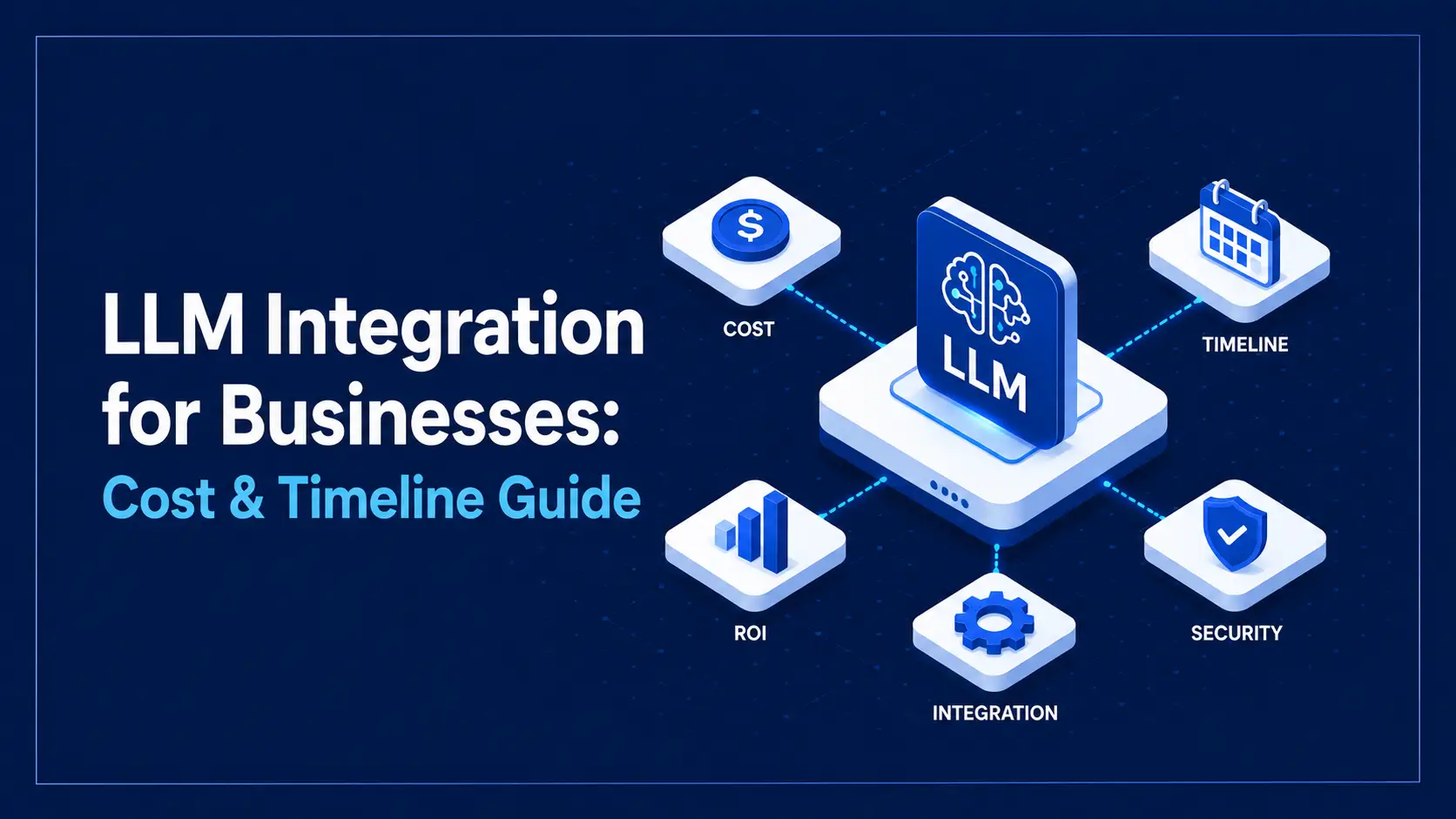
LLM integration for businesses can cost roughly $5,000 to $60,000+, depending on the complexity of the implementation. Timelines can range from 2–3 weeks for focused API-based workflows to 8–12+ weeks for complex enterprise implementations.
The final investment depends on factors such as data preparation, system integrations, model selection, security requirements, expected usage, and workflow complexity.
Unlike standalone AI chat tools, business LLM integration connects AI directly to existing software, business data, and operational workflows.
What Is LLM Integration for Business Systems?
LLM integration is the process of connecting a large language model to existing business software, applications, databases, or workflows.
Instead of asking employees to work separately inside an AI chatbot, an integrated LLM can work within the tools they already use.
For example, an LLM-powered system can:
Summarize customer conversations
Search internal documentation
Classify support tickets
Extract information from documents
Draft emails or responses
Retrieve information from business databases
Create or update records through connected APIs
Assist employees with internal knowledge
The goal isn't simply to add AI to a product. It's to use AI where it can improve an existing business workflow.
How Much Does LLM Integration Cost?
LLM integration costs vary significantly based on the scope of the project. A simple API-based automation is much less expensive than an enterprise AI system that connects multiple applications, processes large amounts of business data, and requires strict security controls.
A practical way to estimate the investment is to divide projects into four broad tiers:
Integration Tier | Typical Use Cases | Timeline | Estimated Setup Cost | Estimated Monthly API/Infrastructure |
Tier 1: Light API & Automation | Email routing, meeting summaries, ticket tagging, automated draft responses | 2–3 weeks | $5,000–$12,000 | $100–$500 |
Tier 2: Production RAG System | Internal knowledge search, documentation tools, customer-support assistants | 4–6 weeks | $12,000–$25,000 | $500–$2,000 |
Tier 3: Autonomous AI Agents | Multi-system workflows, CRM/ERP actions, document processing, and API execution | 6–10 weeks | $20,000–$38,000 | $1,500–$4,000 |
Tier 4: Enterprise Custom Pipeline | Private infrastructure, custom model deployments, strict security and compliance requirements | 8–12+ weeks | $35,000–$60,000+ | Highly variable |
These are planning ranges rather than fixed project quotes. Actual costs depend on the number of integrations, data complexity, security requirements, expected usage, and engineering effort. The original draft uses the same four-tier cost framework, with Tier 4 extending beyond $60,000.
It's also important to separate initial development costs from ongoing API usage, infrastructure, monitoring, and maintenance.
What Drives the Cost of LLM Integration for Business Operations?
Five factors typically have the biggest impact on the total cost of an LLM integration project.
1. How Much Data Preparation Is Required?
The condition and structure of your business data can significantly affect development effort.
If your information is already available through clean databases or APIs, integration may be relatively straightforward. If data is spread across PDFs, documents, legacy databases, emails, or other unstructured sources, additional work may be required to clean, process, index, and synchronize it.
For RAG implementations, this can include document processing, embeddings, vector indexing, metadata management, and retrieval testing.
2. How Many Systems Need to Be Connected?
Connecting an LLM to one application is very different from connecting it to multiple business systems.
A simple AI assistant may only need access to a knowledge base. An AI agent might need to work across a CRM, ERP, help desk, email platform, and internal database.
Each additional integration can introduce:
API development
Authentication
Permission management
Error handling
Data mapping
Testing
The more systems involved, the more engineering effort the project generally requires.
3. What Model and Usage Level Do You Need?
LLM APIs generally charge based on token usage, with pricing varying by model and input versus output tokens.
Using a high-capability model for every task isn't always necessary.
A cost-conscious architecture may use smaller models for simple classification or routing and reserve more capable models for complex reasoning tasks.
Model selection and usage optimization can therefore have a major impact on ongoing operating costs.
4. What Security and Governance Requirements Apply?
Security requirements can significantly increase implementation effort.
Businesses handling sensitive information may need:
Access controls
Data masking
Encryption
Retention controls
Audit logging
Enterprise privacy configurations
Secure cloud infrastructure
Additional compliance safeguards
Organizations with requirements related to frameworks or regulations such as SOC 2 or HIPAA may need additional controls depending on their specific use case. Businesses can also refer to the NIST AI Risk Management Framework for guidance on managing AI risks throughout the design, development, deployment, and use of AI systems.
5. How Deeply Does AI Need to Be Integrated Into the Workflow?
A simple AI chat interface requires less development than embedding AI throughout an existing application.
For example, a product may require:
Inline AI suggestions
Automated actions
Custom buttons
Interactive dashboards
Approval workflows
Real-time AI recommendations
The more deeply AI becomes part of the user experience and business workflow, the greater the frontend, backend, and integration effort can become.
How Long Does LLM Integration Take?
The timeline depends on the scope and complexity of the implementation.
A focused workflow can be completed in a few weeks, while production systems with multiple integrations, security requirements, and custom infrastructure can take several months.
A typical moderate-complexity implementation can follow these four phases:
Phase 1: Workflow Audit and Scoping, Week 1
Before development starts, the team evaluates the workflow, identifies bottlenecks, reviews available data, checks access requirements, and determines the appropriate AI architecture.
This stage helps define what the system needs to do before engineering work begins.
Phase 2: Data Pipeline and Prototype, Weeks 2–3
Engineers establish the required data connectors and build the initial AI workflow.
Depending on the project, this may include:
Data connectors
Document processing
Vector storage
Retrieval pipelines
Prompt design
API integrations
Initial interface development
A working prototype can then be tested in a staging environment.
Phase 3: Security, Guardrails, and Testing, Weeks 4–5
The prototype needs to be tested before production deployment.
This can include:
Output validation
Error handling
Security testing
API failure handling
Retrieval testing
Latency testing
Permission checks
These controls help reduce the risk of unsupported or incorrect model responses.
Phase 4: Deployment and Monitoring, Week 6+
Once testing is complete, the system can be deployed to production.
Teams can then monitor:
Token usage
API costs
Response latency
Errors
User feedback
System performance
More complex enterprise implementations can extend beyond this six-week example and require 8–12+ weeks depending on infrastructure, security, integrations, and scope. The original draft's four-phase deployment model follows this same progression from scoping through production monitoring.
RAG vs Fine-Tuning vs Direct API: Which Should You Choose?
Choosing the right architecture can have a major impact on both development cost and long-term maintenance.
Business Requirement | Best Starting Point |
Need AI to work with changing company documents | RAG |
Need to validate an AI feature quickly | Direct API |
Need highly specialized behavior or output | Fine-tuning |
Need AI to perform actions across business tools | LLM + API/tool calling |
When Is RAG the Right Choice?
Retrieval-Augmented Generation (RAG) allows an AI system to retrieve relevant information from your business data and provide that context to the LLM before generating a response.
It works well for:
Internal knowledge bases
Company documentation
Customer support
Technical documentation
Policy assistants
RAG is often a practical choice when your business information changes regularly because the underlying data can be updated without retraining the model.
When Does Fine-Tuning Make Sense?
Fine-tuning adapts a model using a curated dataset to improve specific behaviors, formats, or specialized tasks.
It can be useful for:
Specialized classification
Consistent output formats
Domain-specific behavior
Highly specific task requirements
However, fine-tuning isn't usually the first choice simply because a business has a large amount of changing information. A RAG approach may be more appropriate for that requirement.
When Should You Use a Direct Commercial API?
Direct API integration is often the simplest option for validating an AI feature or building a relatively straightforward workflow.
It's suitable for:
MVPs
Summarization
Content generation
Classification
Simple business workflows
Non-sensitive applications
It generally offers lower initial implementation complexity, but ongoing API usage and third-party provider dependency should be considered.
What Should You Expect After an LLM Integration Goes Live?
Launching an LLM integration isn't the end of the work. Production systems require monitoring and refinement.
Expect Latency Variations
LLM responses can take longer than standard database queries depending on the model, prompt size, retrieval process, and system load.
Applications may therefore need streaming responses, loading states, or asynchronous processing to maintain a good user experience.
Plan for Edge Cases
LLMs are probabilistic systems, so outputs aren't always identical.
Production applications should use structured output validation, fallback logic, permissions, and error handling to reduce the chance that unexpected responses affect downstream systems.
Budget for Ongoing Refinement
An LLM integration should be monitored after launch.
Teams may need to optimize prompts, improve retrieval, adjust model selection, monitor token usage, and refine workflows as real users interact with the system.
Frequently Asked Questions
1. How Much Does It Cost to Integrate an LLM Into an Existing Business Application?
A focused API-based integration may cost around $5,000–$12,000. Production RAG systems can range from approximately $12,000–$25,000, while more complex agent and enterprise implementations can reach $35,000–$60,000+, depending on scope.
2. How Long Does a Typical Business LLM Integration Take?
A focused AI workflow can take around 2–3 weeks. A production RAG system may take 4–6 weeks, while complex enterprise implementations involving multiple systems and security requirements can take 8–12+ weeks.
3. Is RAG Better Than Fine-Tuning for Internal Company Data?
In many cases, yes. RAG is generally a better fit when the goal is to give an LLM access to frequently changing internal information because the underlying data can be updated without retraining the model.
4. What Factors Affect LLM Integration Costs?
The biggest factors include data preparation, number of integrations, model selection, token usage, security requirements, infrastructure, UI/UX complexity, testing, and ongoing maintenance.
5. Can an LLM Integration Work With CRMs and Other Business Tools?
Yes. Through APIs, middleware, and tool or function calls, an LLM-powered system can retrieve information and perform authorized actions in connected applications such as CRMs, project management tools, and support systems.
6. What Ongoing Costs Should Businesses Expect After Deployment?
Businesses may need to budget for model/API usage, cloud infrastructure, vector database hosting where applicable, monitoring, security maintenance, engineering support, and ongoing prompt or workflow optimization.
Conclusion
LLM integration can help businesses automate workflows, improve productivity, and build smarter products. The right approach depends on your use case, data, budget, and goals. Start with a clear business problem, choose the right architecture, and scale the solution as your needs grow.
Your Product Could Be the
Next Case Study
Explore what we’ve built — and let’s collaborate to create something impactful for your business.
We reply within 24 business hours.