Custom CRM vs Off-the-Shelf CRM: When Does Building Make Sense?

TL;DR / Summary
Off-the-shelf CRMs hitting limits? Learn when building a custom CRM makes financial and operational sense for your growing team.
Table of Contents
- What Is the Core Difference Between Custom and Off-the-Shelf CRM?
- When Does an Off-the-Shelf CRM Stop Working for Your Business?
- 1. You Pay High Per-Seat Fees for Unused Features
- 2. Your Process Relies on Spreadsheets Outside the CRM
- 3. Integrations Between Core Systems Keep Breaking
- 4. Customizing the System Costs More Than Building One
- Custom CRM vs Off-the-Shelf: Detailed Comparison
- What Are the Main Advantages of Building a Custom CRM?
- What Are the Risks and Drawbacks of Custom CRM Development?
- Higher Upfront Financial Investment
- Time Required for Scoping and Testing
- Ongoing Maintenance Responsibilities
- Who Should NOT Build a Custom CRM?
- Decision Framework: When Should You Build vs Buy?
- How to Build a Custom CRM Without Overcomplicating the Build
- Step 1: Map the Minimum User Journey
- Step 2: Build an MVP First
- Step 3: Test with Real Operations Staff
- Step 4: Expand Capabilities Iteratively
- Key Takeaways
- FAQs
- 1. How long does it take to build a custom CRM?
- 2. Is a custom CRM more secure than standard platforms?
- 3. Can a custom CRM connect with our existing ERP or accounting tools?
- 4. What happens when our business processes change?
- 5. How much does ongoing maintenance cost for a custom CRM?
- 6. Can we migrate our existing data from our old CRM?
- Conclusion
Growing businesses eventually reach a point where their customer management process becomes more complex than what standard CRM software can comfortably handle. As teams expand, workflows become more specialized, integrations multiply, and operational inefficiencies start slowing productivity.
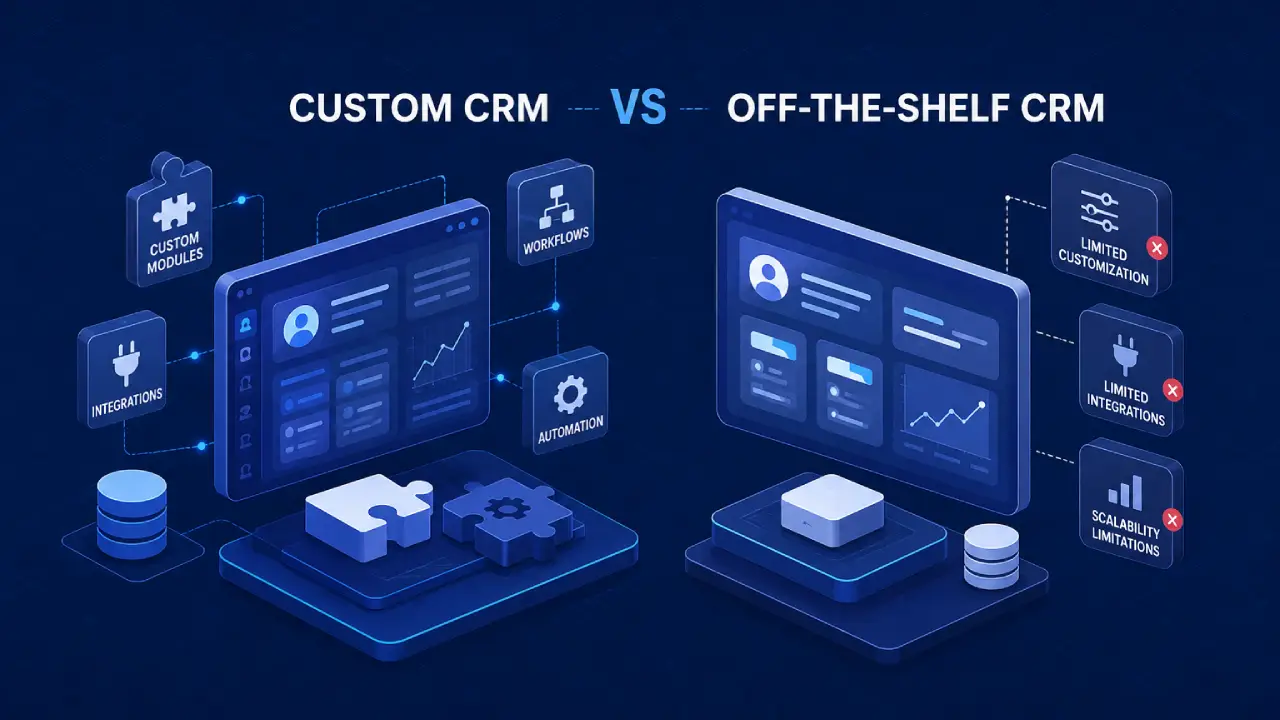
Building a custom CRM makes sense when off-the-shelf software forces your team into rigid workarounds, charges excessive per-seat fees for unused features, or fails to integrate with your core operational tools. While standard CRMs work well for basic sales pipelines, custom CRMs give growing operations full control over unique workflows, data security, and long-term software costs.
What Is the Core Difference Between Custom and Off-the-Shelf CRM?
An off-the-shelf CRM is pre-built software designed to serve thousands of different businesses with standard sales processes. A custom CRM is software designed and built specifically around your exact business workflows, data structure, and operational needs.
Off-the-shelf systems like Salesforce or HubSpot offer quick setup and pre-built templates. However, they force your team to adapt your business to their system.
Custom software works the opposite way. The software adapts directly to how your team already works.
When Does an Off-the-Shelf CRM Stop Working for Your Business?
Off-the-shelf CRMs usually work well for small businesses. As operations grow, pre-packaged platforms often hit clear limits that slow down daily work.
Here are four clear signs your current platform is holding you back:
1. You Pay High Per-Seat Fees for Unused Features
Most commercial CRMs charge monthly subscription fees per user. As your team grows, these costs jump quickly. Worse, your operations, warehouse, or support staff often need access to only one or two screens, yet you pay full price for their licenses.
2. Your Process Relies on Spreadsheets Outside the CRM
If your sales or operations teams maintain extra spreadsheets to track custom orders, inventory checks, or specialized quotes, your CRM is failing its primary job.
When employees work outside the core platform, data gets fragmented, and reporting breaks down. If your operational data is scattered across multiple files, your team may have outgrown spreadsheets and basic software tools entirely.
3. Integrations Between Core Systems Keep Breaking
Off-the-shelf tools connect to other apps using basic connectors. When you need to link your CRM deep into a custom ERP (Enterprise Resource Planning system for managing day-to-day business activities) or legacy inventory tool, standard integrations fall short. You end up with missing data and manual copy-paste work.
4. Customizing the System Costs More Than Building One
Commercial platforms allow some customization. However, hiring specialized consultants to write custom scripts or build complex workflows on top of proprietary systems gets expensive fast. At a certain point, tweaking a rigid tool costs more than building a flexible, tailor-made platform.
Custom CRM vs Off-the-Shelf: Detailed Comparison
Choosing between these two paths requires weighing short-term setup ease against long-term operational efficiency.
Evaluation Factor | Off-the-Shelf CRM | Custom CRM Build |
Initial Time to Launch | Fast (Days or weeks) | Moderate (4 to 12 weeks for core V1) |
Upfront Investment | Low initial cost | Moderate to high initial build cost |
Ongoing Monthly Cost | High and scales up per user | Low fixed hosting and support costs |
Workflow Fit | Rigid, standard processes | 100% tailored to your operations |
Integration Depth | Standard API connectors | Direct integration with any system |
Data Ownership | Stored on vendor cloud | Full ownership of code and data |
Feature Control | Vendor controls the roadmap | You decide every new feature |
What Are the Main Advantages of Building a Custom CRM?
Building a custom platform gives your team total ownership over software capabilities and operational data.
Tailored User Experience: Your team sees only the buttons, fields, and views they need to do their jobs. This eliminates clutter, cuts onboarding time for new hires, and boosts daily software usage.
Full Data Ownership and Security: You host your own data. This is crucial for industries with strict compliance rules or proprietary pricing algorithms that cannot live on public cloud tools.
Direct Systems Integration: A custom platform connects smoothly with your custom databases, payment gateways, and logistics platforms without relying on expensive middleman software.
Predictable Long-Term Costs: Instead of watching software bills rise as you add employees, your core cost stays steady. You pay for cloud hosting and periodic updates, not extra license fees.
What Are the Risks and Drawbacks of Custom CRM Development?
Custom software offers total control, but it is not the right choice for every business. It comes with specific risks that teams must manage.
Higher Upfront Financial Investment
Building custom software requires dedicated capital upfront. While an off-the-shelf CRM starts with a small monthly credit card charge, a custom build requires engineering investment before the first user logs in.
Time Required for Scoping and Testing
Custom software does not launch overnight. Your team must spend time defining workflows, reviewing wireframes, and testing early versions before full deployment.
Ongoing Maintenance Responsibilities
With commercial software, the vendor handles bug fixes and server updates. With custom software, you need a reliable technical partner or an SLA (Service Level Agreement, a commitment defining software support standards) retainer to handle security patches, cloud monitoring, and system updates over time.
Who Should NOT Build a Custom CRM?
A custom CRM is not the right investment for every business. If your operations are still straightforward, an off-the-shelf platform can deliver excellent value with lower upfront costs.
A custom CRM may not be the best choice if:
Your business has fewer than 10 - 15 CRM users.
Your sales process follows standard workflows.
Your existing CRM already supports your daily operations.
You don't require complex integrations with ERP, inventory, or internal systems.
Your primary goal is to launch quickly rather than optimize unique processes.
For many growing businesses, starting with an off-the-shelf CRM is the right decision. Custom development becomes worthwhile when your software begins limiting productivity instead of supporting it.
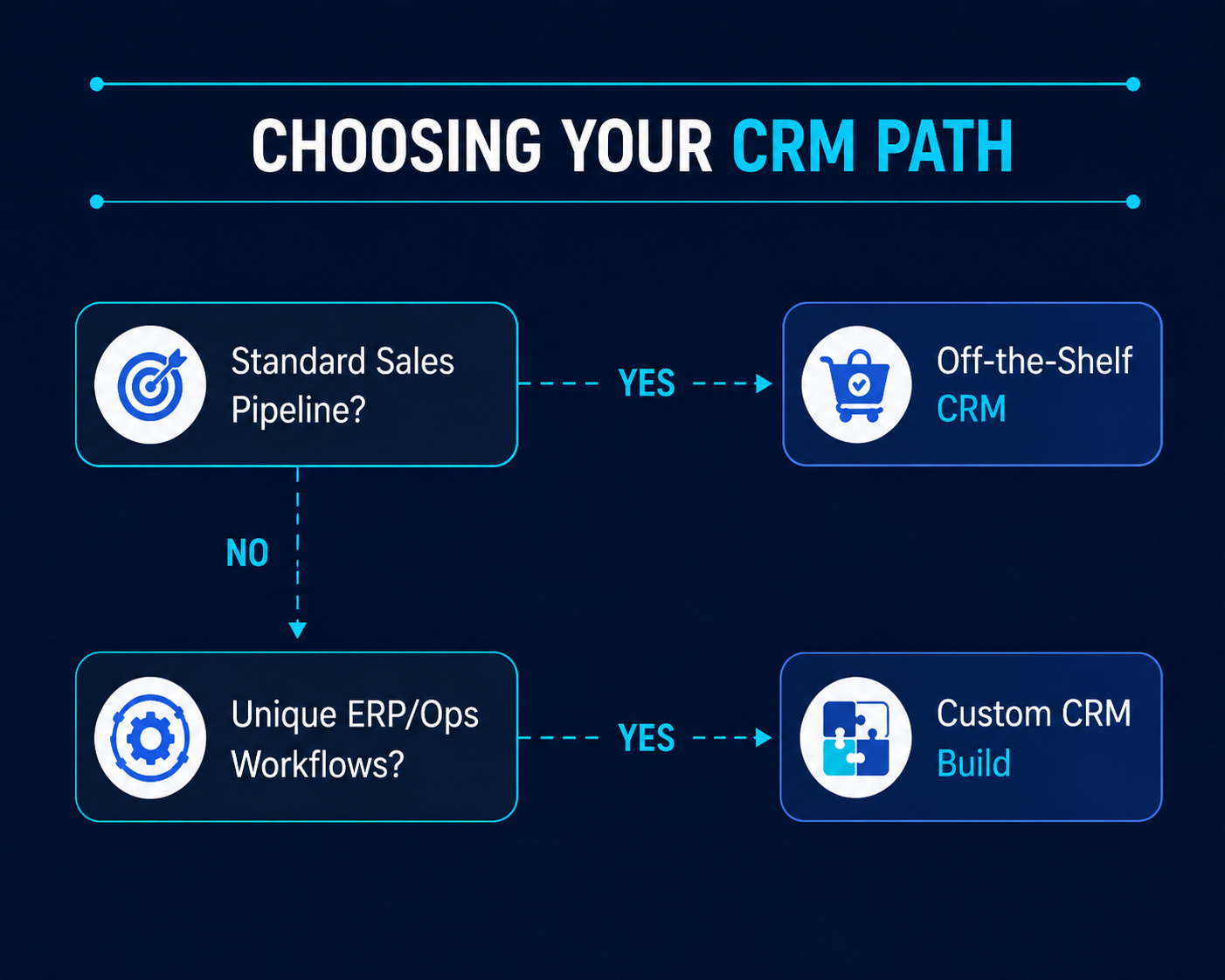
Decision Framework: When Should You Build vs Buy?
To make the right choice, evaluate your business against this decision matrix:
How to Build a Custom CRM Without Overcomplicating the Build
If building a custom system is the right path, avoid trying to build every feature at once. Start with a lean, focused approach.
Step 1: Map the Minimum User Journey
Identify the exact steps your team takes from lead intake to order fulfillment. Cut out non-essential steps and focus only on core operational needs.
Step 2: Build an MVP First
Launch an MVP (Minimum Viable Product, the simplest functional version of software built to solve a core problem) within 4 to 8 weeks. Focus only on essential daily tasks like contact logging, status changes, and core system connections.
Step 3: Test with Real Operations Staff
Put the software in front of the employees who will use it daily. Watch where they struggle and gather feedback on real work usage rather than guessing feature needs.
Step 4: Expand Capabilities Iteratively
Once the core platform is running reliably, add advanced features like automated email reporting, custom analytics dashboards, or AI-powered task routing.
Key Takeaways
Off-the-shelf CRMs work best for standard sales processes and smaller teams that need fast setup.
Custom CRMs deliver the highest value when unique workflows, deep system integrations, and high license costs make standard platforms impractical.
Per-seat license fees on commercial tools can quickly outpace the cost of building and maintaining a custom system.
Start lean by building a focused custom MVP that addresses your biggest operational bottlenecks before adding secondary features.
FAQs
1. How long does it take to build a custom CRM?
A focused initial version usually takes between 6 and 12 weeks to design, build, and deploy, depending on necessary integrations and workflow complexity.
2. Is a custom CRM more secure than standard platforms?
Yes, when built properly. You retain full control over data hosting, user access levels, and security measures, reducing exposure to public cloud vulnerabilities.
3. Can a custom CRM connect with our existing ERP or accounting tools?
Yes. Custom software allows direct API (Application Programming Interface, code that lets two apps communicate) connections to legacy ERPs, payment gateways, and custom inventory databases.
4. What happens when our business processes change?
Because you own the source code, your technical team can add new fields, change approval workflows, or update screens whenever your operational needs change.
5. How much does ongoing maintenance cost for a custom CRM?
Ongoing costs typically cover cloud hosting and a basic support retainer for periodic security updates, system monitoring, and feature additions.
6. Can we migrate our existing data from our old CRM?
Yes. Data migration scripts can extract, clean, and import existing customer logs, contact details, and transaction histories into your new system
Conclusion
Choosing between a custom CRM and an off-the-shelf solution isn't just about software; it's about how well your technology supports your business as it grows. If your team is relying on spreadsheets, manual workarounds, or expensive customizations to keep operations running, it may be time to consider a platform built around your workflows instead of forcing your workflows to fit the software.
Our team helps businesses evaluate their current systems, identify operational bottlenecks, and build scalable custom CRM solutions that improve efficiency, integrate seamlessly with existing tools, and support long-term growth.
Your Product Could Be the
Next Case Study
Explore what we’ve built — and let’s collaborate to create something impactful for your business.
We reply within 24 business hours.